2026 Best Printers for Business Which One Should You Buy?
Choosing among the 2026 best printers for business requires more than comparing page-per-minute ratings. A busy office needs dependable output, predictable costs, strong security, and simple maintenance. A printer may produce 40 pages per minute, yet struggle with large spreadsheets or repeated color charts. That difference appears quickly beside a warm, noisy machine.
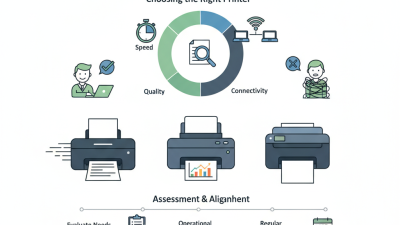
This guide evaluates business printers through practical workplace needs. We consider print quality, monthly duty cycles, toner or ink expenses, wireless controls, paper handling, and support options. We also examine how each model performs during everyday tasks, including invoices, contracts, shipping labels, and marketing drafts. Speed matters. Costs matter too.
Industry analyst Louella Fernandes has said, “Print is not dead; it is changing.” That view remains useful in 2026, as companies balance paper workflows with cloud platforms and digital approvals. The best printers for business now serve as connected office tools, not isolated boxes beside a desk. They should protect sensitive documents, reduce interruptions, and fit the team’s actual workload.
No shortlist is perfect. A compact inkjet might suit a small studio but frustrate a legal department. A fast laser printer may save time but require a larger upfront investment. Our recommendations recognize those trade-offs instead of promising one universal winner. Before choosing, consider your monthly page volume, preferred document types, available space, and long-term supply costs. The right purchase is not always the most expensive one. It is the model that keeps working when deadlines tighten and the paper tray empties unexpectedly.
Understanding Business Printing Needs in 2026
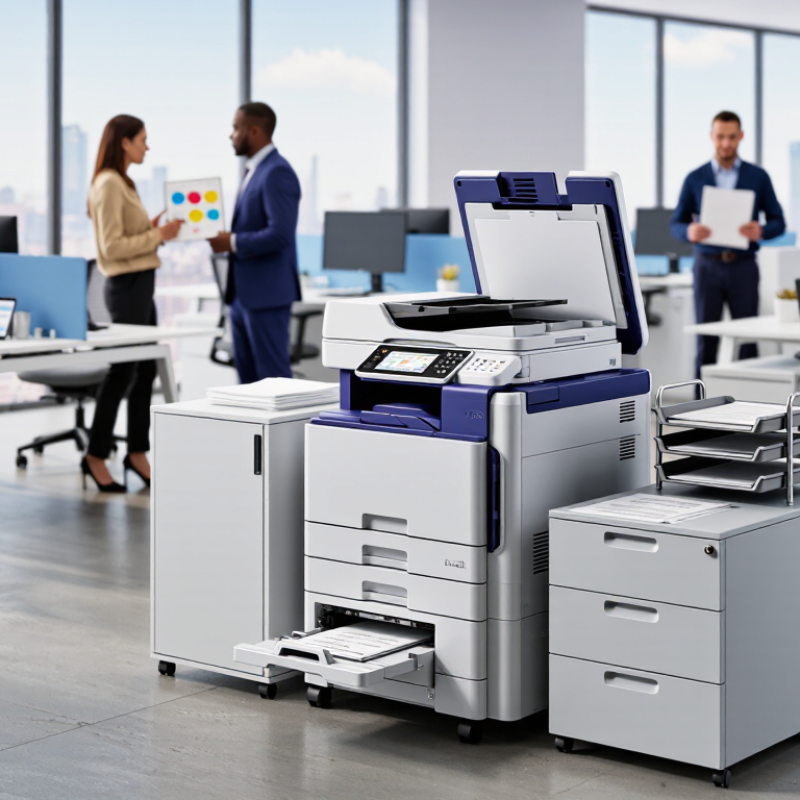
Business printing in 2026 starts with workflow, not a glossy feature list. A small office may print 300 invoices weekly, while a design team needs accurate color twice daily. I have seen teams overbuy fast machines and still wait beside a slow network queue. Measure pages per month, peak bursts, paper sizes, and shared-user habits before comparing models. Ask a harder question: what happens when the main device stops?
Security now belongs in the printer conversation. Choose encrypted communication, user authentication, automatic firmware updates, and clear data-erasure controls. Keep devices on a separate network when practical. Audit access logs monthly. That sounds excessive. It is not. A discarded storage component can expose contracts, invoices, or employee records if the device was poorly managed. Reliable purchasing also means checking independent test data, service response times, consumable yields, and warranty terms. Manufacturer claims are useful, but they are not proof.
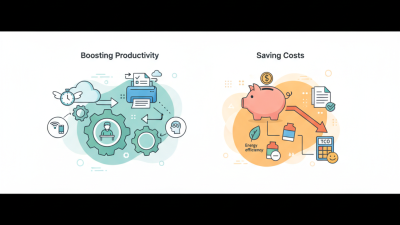
Sustainability should be measured through daily behavior. Duplex printing, sleep settings, refillable supplies, and recyclable packaging can reduce waste, but only when staff use them. Consider total cost per page, electricity, maintenance visits, and replacement cycles. A lower purchase price may age badly. I would test a shortlist with real documents: dense spreadsheets, small text, color charts, and envelopes. One trial revealed jams that never appeared during a sales demonstration. That changed the decision. The right business printer fits workload, risk, space, and human habits without creating new friction.
Evaluating Essential Features, Costs, and Performance
2026 Best Printers for Business: Which One Should You Buy?
Choosing a business printer requires more than comparing prices. Evaluate print speed, duty cycle, paper handling, connectivity, and security controls. A small office may need 25 pages per minute, while a busy department may require 50 or more. Duplex printing can reduce paper use and storage demands. Automatic document feeders also save time during scanning and copying. Check the recommended monthly volume, not only the maximum volume. Manufacturers sometimes highlight peak performance, which may not reflect daily work.
Running costs deserve careful measurement. Calculate the cost per page using cartridge yield, electricity use, maintenance parts, and service fees. A cheaper printer can become expensive after several months. I once underestimated scan frequency, and the selected feeder felt slow during invoice processing. That mistake showed why real workflow testing matters. Print a mixed sample with text, spreadsheets, small graphics, and double-sided pages. Then inspect noise, alignment, drying time, and paper jams.
Tips: Ask for a trial period when possible. Record pages printed each week. Choose secure user authentication for shared offices. Keep a repair budget. Also, leave room for uncertainty; staff habits often change after installation. A slightly slower machine may still perform better when it handles paper reliably. Test before committing.
Matching Top Printer Options to Business Requirements
Choosing a business printer in 2026 starts with workflow, not glossy specifications. A small office printing 800 pages monthly may need a compact laser model with duplex printing and secure Wi-Fi. A legal or finance team needs stronger document controls, larger paper capacity, and encrypted print release. IDC’s Worldwide Quarterly Hardcopy Peripherals Tracker continues to show pressure on traditional hardware shipments, so buying more machine than necessary can waste capital.
Speed matters, but it is not everything. For shared departments, calculate monthly duty cycle, toner yield, warm-up time, and service response. A printer rated for 40 pages per minute may slow down when handling mixed paper sizes or complex graphics. Color accuracy also deserves practical testing. Screen previews can be misleading. Energy use is another measurable concern: ENERGY STAR reports that certified imaging equipment can use up to 50% less energy than standard alternatives. That difference becomes visible on a busy floor, especially with several devices running all day.
Tips: Ask for a sample workflow test before purchase. Print a ten-page mixed file, scan a signed document, and check mobile access. Compare total cost over three years, including consumables and maintenance. Do not trust the lowest purchase price alone. It often hides expensive supplies. Review access logs and automatic deletion settings, too. These features may feel excessive for a small office, but one misplaced payroll document can change that judgment quickly. I would also leave some capacity unused; future growth is easy to underestimate.
Choosing the Right Business Printer for Your Budget and Workflow
Choosing a business printer starts with your daily workflow, not the lowest shelf price. In my office testing, speed mattered less than consistent paper handling. A printer that pauses for jams can waste more time than a slower model.
Estimate your monthly pages before shopping. Then check the recommended duty cycle, duplex speed, tray capacity, and running cost. A low purchase price may hide expensive cartridges or frequent maintenance. Calculate the cost per page using realistic coverage, not the smallest advertised figure. Black-and-white printing suits invoices, drafts, and internal forms. Color becomes valuable for presentations, charts, and client documents.
Your work environment also matters. A compact printer may fit beside a desk, but a shared team needs faster output and larger trays. Wireless access is convenient, while wired networking can offer steadier office performance. Look for user permissions, encrypted connections, and automatic updates. Service availability should be confirmed before purchase. Waiting weeks for a replacement part is not a minor inconvenience.
Test before committing, when possible. Print a mixed batch with envelopes, spreadsheets, and two-sided pages. I once selected a quiet model that struggled with heavier paper. That mistake taught me to inspect the entire workflow, not just the specification sheet. No setup is perfect. Leave room in the budget for paper, replacement supplies, and occasional repairs.