How to Create Personalized Labels for Your Products?
A product often earns its first impression before anyone reads its description. Personalized labels turn that brief moment into a clearer brand experience. They can show a customer’s name, a limited batch number, a local story, or a carefully chosen message. Yet customization should not become decoration without purpose. Every color, texture, and line of text should support recognition and trust.
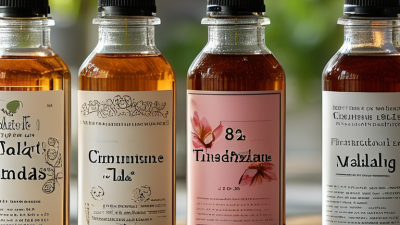
Packaging strategist Evelio Mattos has said, “Packaging is the silent salesperson.” That idea matters when creating personalized labels. A label speaks through its paper finish, adhesive quality, typography, and placement. Imagine a small amber bottle on a crowded shop shelf. Its matte cream label feels calm, while a sharp black batch code adds reassurance. The details communicate before the customer asks questions.
Good label creation begins with the product’s real conditions. Will the container face moisture, refrigeration, sunlight, or frequent handling? Will a variable name remain readable after printing? These questions prevent attractive designs from failing in practice. Material tests, proof copies, and controlled color checks make the process more reliable. Experience matters here.
Still, no design is perfect. A highly detailed label may look impressive on screen, yet become crowded at its actual size. I have seen brands focus on personalization while overlooking basic readability. That is an uncomfortable mistake. The strongest personalized labels balance emotional relevance with practical information. They feel personal, but never confusing. They also respect customers who need quick, accurate details.
Define Goals Against the $48.6B Global Label Market (Smithers, 2023)
How to Create Personalized Labels for Your Products?
The global label market was valued at $48.6 billion in 2023, according to Smithers. This figure shows strong demand, but size alone should not define your label strategy. A personalized label needs a clear job. It might explain product use, highlight a production date, or create a more memorable shelf presence. Start by naming one primary goal. Too many goals can make the design confusing.
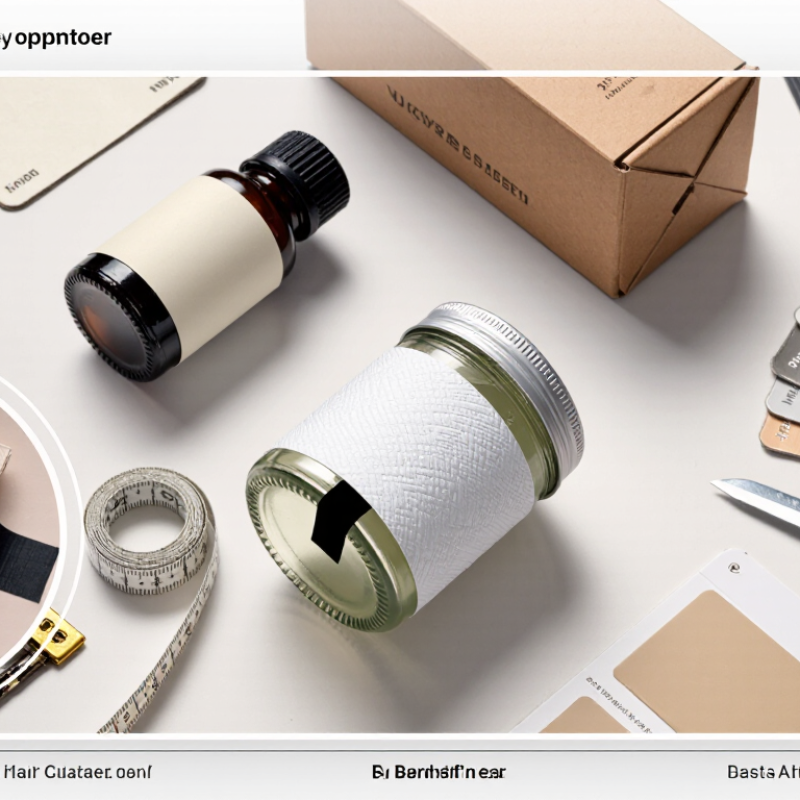
Use practical details when planning the label. Measure the container’s curved surface, check the available print area, and test the label under normal handling. A jar may face moisture, friction, or temperature changes. Paper texture, adhesive strength, and ink durability all affect performance. These choices should match the product’s storage and delivery conditions. A small sample run can reveal peeling edges or unreadable text before larger production begins.
Keep the wording easy to scan. Strong contrast helps people read the label in dim shop lighting. Product details should remain accurate and easy to verify. Review required information with a qualified packaging or compliance professional for your target market. My first draft would probably include too much detail. That is a useful warning. Remove anything that does not support the main goal. Leave enough empty space for the label to breathe. Small changes often make the result feel more trustworthy.
Choose Materials Using EPA’s 82.2M-Ton Packaging-Waste Baseline
How to Create Personalized Labels for Your Products?
The EPA’s 82.2-million-ton packaging-waste baseline gives material choices useful scale. It reflects a national packaging problem, not a perfect scorecard for every label. Treat it as a design warning. When packaging moves through millions of orders, a small material decision can create a large waste effect. Personalized labels should therefore combine visual appeal with realistic end-of-life planning.
For dry products, paper labels may offer a practical starting point. Choose suitable paper weight, low-ink coverage, and adhesives matched to the container. For chilled or damp products, moisture resistance becomes essential. A label that peels early can create damaged goods and unnecessary replacement packaging. Film labels may perform better, but they can complicate recycling when their material differs from the container. The label is small, but its impact is not.
Test before ordering in bulk. Apply sample labels to clean containers, then expose them to water, cold storage, rubbing, and stacking. Check whether colors fade or adhesive leaves residue. Ask material suppliers for composition details and disposal guidance. Do not trust appearance alone. A label can look sustainable while creating sorting problems. The first material choice may still be wrong after testing. That is useful information, not failure. Record the results beside the product’s storage conditions, package material, and expected shipping distance. This makes future label decisions more consistent and easier to review.
How to Create Personalized Labels for Your Products?
Choose label materials with the U.S. EPA’s 82.2-million-ton packaging-waste baseline in mind.
In 2018, paper and paperboard represented the largest share of U.S. packaging generation at 41.9 million tons, followed by plastics at 14.5 million tons and glass at 12.3 million tons. For personalized labels, material selection should consider durability, printing requirements, product conditions, and end-of-life recovery options.
Source: U.S. Environmental Protection Agency, Advancing Sustainable Materials Management: 2018 Fact Sheet — Containers and Packaging.
Select Digital Printing as Labels Approach 6.7% CAGR (Smithers)
Personalized labels can turn an ordinary package into a small, memorable interaction.
Digital printing makes this easier because each label can carry different names, colors, codes, or messages without new plates. This flexibility suits limited product batches, seasonal releases, and local campaigns.
Start with a clear customer detail. A name, flavor, location, or production date can create useful variation. Keep the main product information readable. Place variable text away from curved edges and dark images. Use high-resolution artwork and confirm color settings before production.
A small proof on the actual label material reveals problems that a screen can hide. Glossy film may increase contrast, while textured paper can soften fine lettering.
I once approved a digital proof that looked balanced on screen. The printed text felt too small. That mistake taught me to inspect labels at arm’s length. It also showed why material testing matters.
Ask the printer about ink adhesion, barcode readability, moisture resistance, and recycling requirements. Short runs reduce waste during testing, although unit costs may rise. Personalization can improve engagement, but too many design variations may confuse shoppers.
Review each version with real packaging in hand. Small details matter.
Add Traceability Through GS1’s Sunrise 2027 2D-Barcode Target
Personalized product labels can do more than display a name or color. They can support traceability through the Sunrise 2027 2D-barcode target. This industry direction encourages retailers to prepare for scanning richer product data at checkout and across the supply chain. A 2D barcode may connect a product identifier with its batch, expiry date, serial number, or verified digital information.
Start with the data, not the artwork. Assign each product variation a clear identifier. Then connect that identifier to accurate records in your inventory system. The label might show a small QR-style symbol beside the product name, size, or production date. Keep essential details readable. Test the code on curved packaging, under warehouse lighting, and after ordinary handling. Real conditions matter.
Small mistakes can weaken the whole system. An outdated expiry field creates confusion. A poor contrast ratio can stop a scanner. I would not treat personalization as unlimited design freedom. It needs controlled templates, approved data fields, and routine verification. Staff should know what happens when a code fails. A backup process helps.
The Sunrise 2027 goal also requires cooperation between packaging, technology, logistics, and retail teams. Review your current scanners before changing labels. Check whether systems can process variable data quickly. Some companies may need more testing than expected. That is acceptable. Reliable traceability grows through measured trials, documented corrections, and labels that remain useful after the product leaves the factory.
How to Create Personalized Labels for Your Products? - Add Traceability Through GS1’s Sunrise 2027 2D-Barcode Target
| Label Data Dimension | GS1 Element | Example Value | Traceability or Labeling Purpose | Implementation Guidance |
|---|---|---|---|---|
| Product Identity | GTIN (AI 01) | 09506000123456 | Provides a globally unique identity for the trade item. | Assign a separate GTIN when the product, formulation, net content, or packaging level requires a new trade-item identity. |
| Batch or Lot | Batch/Lot Number (AI 10) | L240315A | Links units to a production run, ingredients, quality records, and targeted withdrawal actions. | Use the same lot value on all units produced under the defined batch-control rules. |
| Expiration or Best-Before Date | Date (AI 17) | 250331 | Supports date checks, stock rotation, consumer information, and controlled product removal. | Use the date format YYMMDD in the encoded element string; apply the legally required date type for the product category. |
| Production Date | Production Date (AI 11) | 240315 | Identifies when the product was manufactured and helps connect it to plant records. | Include it when production timing is needed for quality, regulatory, or inventory processes. |
| Serial-Level Identity | Serial Number (AI 21) | SN000845721 | Distinguishes one individual item from every other item with the same GTIN. | Use for high-value, regulated, warranty-controlled, or individually tracked products. |
| Digital Product Information | GS1 Digital Link URI (AI 01 plus URL) | https://id.example.org/01/09506000123456/10/L240315A | Connects the physical product to instructions, certificates, sustainability data, recall notices, or other controlled content. | Use a resolver-based web address so information can be updated without changing the printed 2D symbol. |
| 2D Barcode Type | GS1 DataMatrix or QR Code with GS1 Digital Link | Machine-readable data carrier | Stores more data than a traditional linear retail barcode and enables item, batch, date, and web-linked information. | Select the symbol according to market requirements, packaging space, scanning environment, and the required data set. |
| Human-Readable Information | Printed interpretation of key data | LOT: L240315A EXP: 2025-03-31 |
Allows people to identify essential information if the barcode cannot be scanned. | Keep the printed data synchronized with the encoded values and follow applicable labeling rules. |
| Print and Scan Quality | Symbol quality verification | Verified against applicable ISO/IEC and GS1 requirements | Reduces failed scans caused by low contrast, distortion, insufficient quiet zones, or damaged printing. | Test the final printed symbol on the actual packaging substrate and at the intended scanning distance. |
| Retail Readiness | Sunrise 2027 target | Retail point-of-sale systems prepared to scan 2D barcodes by the end of 2027 | Supports the industry transition from one-dimensional barcodes to richer 2D data carriers. | Treat Sunrise 2027 as an industry target; confirm specific trading-partner, market, and regulatory requirements before rollout. |
| Data Governance | Master-data ownership and access control | Versioned product record with controlled update permissions | Maintains accurate, consistent, and auditable product information throughout the supply chain. | Define data owners, validation rules, change history, resolver availability, and procedures for expired or recalled content. |
Note: Example identifiers and URLs are illustrative. Confirm identifier allocation, data formatting, symbol selection, and legal requirements with the applicable GS1 Member Organisation and trading partners.
Validate Color and Print Quality Against ISO 12647-2 Standards
How to Create Personalized Labels for Your Products?
Validate Color and Print Quality Against ISO 12647-2 Standards
Personalized labels begin with a clear visual plan. Define the product name, variable text, barcode, and color priorities before artwork reaches production. A small color shift can change how customers perceive freshness, quality, or flavor. I recommend approving a physical proof under consistent lighting, not relying only on a bright monitor.
When offset lithographic printing is used, ISO 12647-2 provides useful process-control targets for color, tone value increase, gray balance, and printing conditions. It is not a universal pass-or-fail rule for every label process. Flexographic, digital, and specialty printing may require different controls. That limitation matters. A spectrophotometer can measure key color patches on the proof and finished label. Record substrate, ink conditions, dot gain, and measurement settings. Compare results consistently.
Keep variable elements in a controlled template. Use sufficient contrast for small text and test barcodes after lamination or coating. Inspect labels at normal viewing distance, then examine them under magnification. Look for uneven solids, pinholes, registration errors, and softened type. Small flaws matter.
Color approval should involve the designer, printer, and quality reviewer. Their shared records create traceability. Still, no measurement replaces judgment. A technically close color may feel wrong beside the product container. Review, adjust, and document the reason for every change. That discipline improves repeatability without making the process rigid.
Related Posts
-
10 Tips for Creating Personalized Labels That Stand Out
-

How to Create Stunning Bespoke Labels for Your Business or Projects
-
10 Tips for Creating Stunning Bespoke Labels for Your Brand
-
China Top 10 Personalized Labels Suppliers for Buyers?
-
Top 10 Personalized Labels Suppliers in China for Global Buyers?
-
What are the Benefits of Bespoke Labels for Global Buyers?