What Are the 2026 Top Types of Industrial Label Printers?

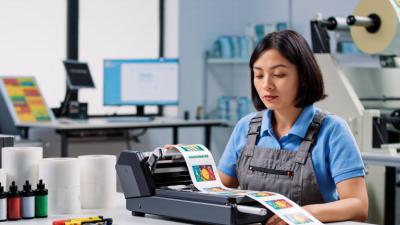
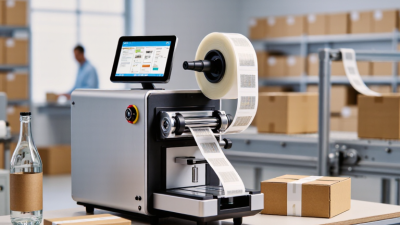
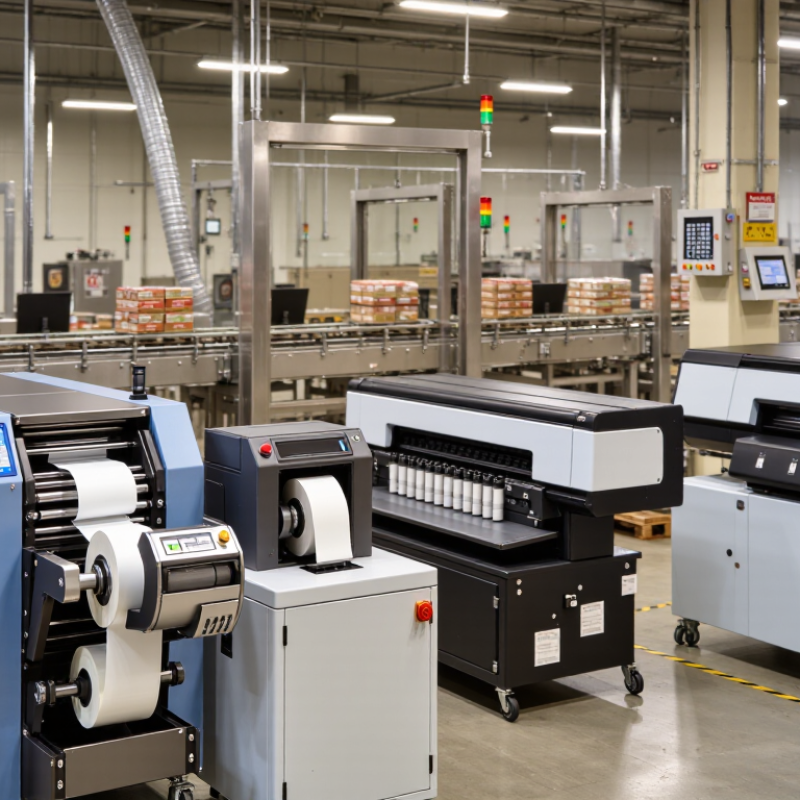
Industrial label printers are becoming more specialized as factories demand faster identification, traceability, and lower operating waste. This shift matters across warehouses, food production lines, laboratories, and electronics plants. A label printer beside a conveyor may print thousands of barcode labels daily, often under dust, heat, vibration, or cleaning chemicals.

Industry research supports this expanding role. Smithers’ report, The Future of Printed Labels to 2029, highlights continued demand for digitally produced labels, shorter production runs, and variable information. These trends directly support thermal transfer and direct thermal industrial label printers. The International Data Corporation also continues to identify automation, supply-chain visibility, and data capture as major enterprise technology priorities. Meanwhile, MarketsandMarkets’ industrial printing research points to growing adoption of connected, high-throughput printing systems.

The 2026 market will not have one universal winner. Direct thermal printers remain practical for short-life shipping labels and warehouse receipts. Thermal transfer models offer stronger durability for outdoor assets, chemicals, and long-term identification. Industrial inkjet printers can support color graphics and flexible packaging applications. Laser systems still serve selected high-volume environments, although their cost and maintenance may limit broader use.

This article compares the leading types of industrial label printers expected to shape 2026. It examines print durability, media compatibility, speed, connectivity, total cost, and maintenance demands. Real production conditions matter more than impressive specifications. A printer that survives a cleanroom may fail beside a hot filling line. That detail is easy to overlook. Forecasts also vary by region, application, and reporting method, so buyers should validate claims through trials, supplier references, and measurable workflow data.
What Are the 2026 Top Types of Industrial Label Printers?

What Defines an Industrial Label Printer in 2026?

An industrial label printer in 2026 is defined by endurance, control, and dependable output. It must survive long production shifts, dust, vibration, and changing temperatures. Office printers are not built for this pressure.

The main types include thermal transfer, direct thermal, and industrial inkjet printers. Thermal transfer models suit labels needing stronger resistance to heat, moisture, or abrasion. Direct thermal printers work well for short-life shipping and warehouse labels. Inkjet systems support variable information on cartons, films, and uneven surfaces. However, printer type alone does not prove industrial capability.

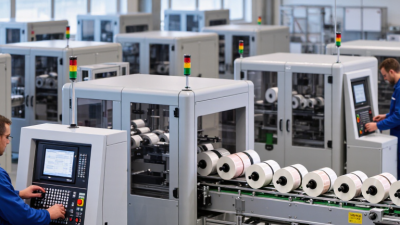
A reliable industrial printer should handle high daily volumes without frequent pauses. It should support accurate media calibration, fast data processing, and clear error reporting. Ethernet, wireless control, and production-system integration are increasingly important. Replaceable printheads and accessible cleaning areas also reduce downtime. Yet, specifications can mislead. A fast machine may waste labels if sensors misread thin stock. A rugged housing cannot fix poor maintenance.

Tips: Test the printer with your real labels, ribbon, adhesive, and production speed. Check small text, barcodes, and image edges after repeated runs. Leave room for imperfect results. Factory conditions are rarely as clean as a showroom. Ask whether local technicians can provide measurable response times and genuine maintenance guidance.

Which Industrial Label Printer Types Are Most Common?

Industrial label printers usually fall into four practical groups: direct thermal, thermal transfer, industrial inkjet, and laser systems. The most common choice depends on the label’s environment and lifespan. In warehouses, direct thermal printers produce shipping labels quickly and with minimal setup. They need no ribbon, which simplifies daily loading and reduces consumables. It is fast. However, heat, sunlight, or long storage can fade some direct thermal labels.

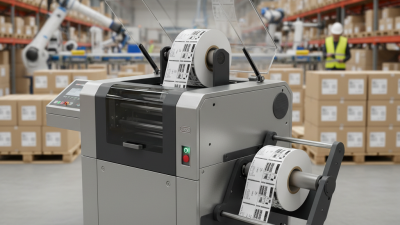
Thermal transfer printers use a heated printhead and ribbon to create durable images. They are common for asset tags, product packaging, cable markers, and inventory labels. The output can resist abrasion, moisture, and moderate chemical exposure. Field inspections often show their value near conveyors and busy packing stations. A common mistake is judging only the purchase price. Ribbon waste, printhead wear, and downtime can change the real cost. Industrial inkjet printers suit variable data on cartons, films, and irregular surfaces. They can print quickly, but ink adhesion requires careful material testing.

Laser printers remain useful for high-volume sheets and precise text. They need compatible media and controlled dust levels. They are less flexible on rough, curved, or continuously moving products. Selection should consider label material, resolution, speed, environment, and operator skill. A printer that works in a clean room may struggle beside a hot, dusty conveyor. This is where specifications can mislead. Real samples and short production trials often reveal feeding errors, smudging, or unreadable barcodes. Small tests matter.

What Are the 2026 Top Types of Industrial Label Printers?

Direct thermal and thermal-transfer printers remain the most common industrial label printer types because they support dependable barcode printing, high-volume workflows, and broad warehouse and manufacturing applications. The chart compares the typical print-resolution ranges used by the main industrial printer technologies.

Key takeaway: Direct thermal printers are widely used for short-life labels such as shipping, receiving, and inventory tags. Thermal-transfer printers are preferred when labels must withstand heat, moisture, chemicals, abrasion, or long-term outdoor exposure. Industrial inkjet and laser/LED systems are selected for specialized color, high-resolution, or variable-data requirements.

How Do Thermal Transfer and Direct Thermal Printers Differ?

What Are the 2026 Top Types of Industrial Label Printers?

How Do Thermal Transfer and Direct Thermal Printers Differ?

Industrial label printers in 2026 still rely heavily on thermal transfer and direct thermal technology. Both create sharp text quickly. Their working methods, however, suit different environments.

Thermal transfer printers use a heated printhead to move ink from a ribbon onto the label. The result resists sunlight, moisture, abrasion, and many chemicals. This makes the method practical for warehouse assets, outdoor equipment, product identification, and long-term records. It usually requires more materials and routine ribbon replacement. That extra step can slow a busy line.

Direct thermal printers apply heat directly to specially treated labels. They need no ribbon, which reduces setup time and material handling. These printers fit shipping labels, temporary receipts, food rotation tags, and short-term logistics work. Heat, sunlight, and friction can darken or fade the image. Storage conditions matter more than many teams expect.

The choice depends on label life, exposure, speed, and maintenance habits. A warehouse may prefer direct thermal for daily dispatch labels. A factory tracking metal parts may need thermal transfer output for years. Test actual labels under heat and abrasion. Paper specifications can surprise you. I have seen well-planned installations fail because operators ignored label storage. Direct thermal is not automatically cheaper. Thermal transfer is not always excessive. Printer performance depends on matching the process, materials, and inspection standards.

What Are the 2026 Top Types of Industrial Label Printers? — How Do Thermal Transfer and Direct Thermal Printers Differ?
Printer Type Printing Method Typical Resolution Common Print Speed Suitable Label Materials Durability of Printed Image Best-Fit Industrial Applications Main Advantages Main Limitations
Thermal Transfer Printer Uses a heated printhead to transfer ink from a ribbon onto the label surface. 203, 300, or 600 dpi Up to approximately 12–14 inches per second, depending on model and media Paper, polyester, polypropylene, polyethylene, vinyl, and other coated synthetic materials Excellent resistance to heat, moisture, abrasion, chemicals, and ultraviolet exposure when matched with suitable ribbon and media Asset identification, chemical containers, outdoor equipment, laboratory samples, electrical components, and long-life product labels Produces highly durable images; supports a broad range of label materials; suitable for permanent identification Requires ribbons; generates ribbon waste; media and ribbon selection must be matched correctly
Direct Thermal Printer Uses heat-sensitive label stock that darkens when exposed to a heated printhead; no ribbon is required. 203 or 300 dpi, with some specialized options at higher resolution Up to approximately 10–14 inches per second, depending on model and media Direct thermal paper and specially coated synthetic direct thermal stock Generally lower long-term durability; may fade or darken when exposed to heat, sunlight, friction, plasticizers, or chemicals Shipping labels, warehouse receiving, temporary identification, price labels, healthcare wristbands, and short-term tracking labels Simple operation; no ribbon costs; fewer consumables; fast and convenient for high-volume temporary labels Limited material selection; sensitive to environmental exposure; not ideal for permanent outdoor or chemical labels
Industrial Inkjet Printer Projects liquid ink droplets onto continuous or pre-cut label materials. Typically 300–1,200 dpi, depending on ink system and application Often 50–300 feet per minute in production configurations Paper, film, coated stock, porous materials, and selected specialty substrates Varies widely; pigment inks generally provide better light and water resistance than many dye-based inks Variable-data labels, high-color packaging, food and beverage coding, serialized products, and short-run production Excellent color capability; supports variable graphics and data; suitable for frequent artwork changes Ink and substrate compatibility can be complex; printheads require maintenance; some inks need drying or curing
Laser Label Printer Uses a laser imaging process and toner that is fused to the label surface with heat and pressure. Typically 600–1,200 dpi Commonly 20–60 pages per minute, depending on media size and coverage Laser-compatible paper, coated stock, and selected synthetic label sheets Good resistance to smearing and handling; performance depends on toner, substrate, and environmental conditions Office-to-plant workflows, compliance documentation, product sheets, small batches, and detailed multi-color labels Sharp text and graphics; useful for sheet-fed production; no wet-ink drying time Less suitable for continuous roll production; heat can affect sensitive materials; higher waste in variable-volume jobs
Color Label Printer Usually uses inkjet or toner technology to print full-color graphics and variable data on demand. Typically 600–1,200 dpi Approximately 2–60 feet per minute, depending on technology, coverage, and label width Coated paper, polypropylene, polyester, vinyl, and inkjet- or toner-compatible specialty media Depends on ink, laminate, substrate, and exposure; protective overlamination can improve resistance Brand-neutral product identification, color-coded safety labels, regulated packaging, sample identification, and short-run manufacturing Reduces pre-printed inventory; enables rapid design changes; supports photographs, gradients, and color coding Higher consumable cost than monochrome systems; color management and media qualification are important
RFID Label Printer-Encoder Prints human-readable information and encodes electronic data into an RFID inlay embedded in the label. Typically 203 or 300 dpi Commonly 4–12 inches per second, depending on encoding verification and label construction Paper or synthetic face stocks containing compatible UHF, HF, or NFC inlays Printed-image durability depends on the printing method; electronic performance depends on inlay design and application surface Inventory control, logistics, pallet tracking, returnable transport items, access control, and automated asset management Combines visual identification with machine-readable electronic tracking; supports serialized data and automated verification Higher label cost; metal and liquid environments may affect read performance; requires RFID encoding software and validation
High-Resolution Industrial Printer Uses thermal transfer, inkjet, or other precision imaging systems optimized for small text, symbols, barcodes, and detailed graphics. 300–1,200 dpi Varies from approximately 2–14 inches per second for roll-fed systems Fine-textured paper, coated films, polyester, polypropylene, and specialty technical materials Varies by technology; thermal transfer with resin ribbon is commonly selected for highly durable technical markings Electronic components, medical devices, laboratory tubes, small parts, serial numbers, and dense compliance labels Sharp small characters; reliable barcode reproduction; supports compact labels with high information density May require slower speeds, carefully controlled media, and higher equipment or consumable costs
Practical selection rule: choose thermal transfer when label life, chemical exposure, abrasion, or outdoor durability is critical; choose direct thermal when labels are intended for short-term use and simple, ribbon-free operation is the priority. Actual performance depends on printer settings, printhead condition, ribbon or ink formulation, label construction, and operating environment.

Where Are Inkjet, Laser, and RFID Label Printers Used?

In 2026, industrial label printers are selected by workflow, material, and traceability requirements. Inkjet printers suit fast production lines and uneven surfaces. They print batch codes, dates, barcodes, and small graphics directly onto cartons, plastic containers, and metal parts. Quick-drying ink supports conveyor speeds, although dusty environments can reduce print sharpness. Operators should inspect nozzle performance during every shift.

Laser printers work well where permanent, high-contrast marking matters. They are commonly used for electronic components, medical packaging, cables, and automotive parts. Laser marking resists heat, abrasion, and many cleaning chemicals. It also avoids liquid ink storage. However, the correct laser wavelength depends on the substrate. A poor match may discolor the surface or produce weak contrast.

RFID label printers serve warehouses, distribution centers, returnable containers, and inventory systems needing contactless identification. They encode a chip while printing readable information on the label. Workers can scan multiple tagged items without direct line-of-sight. This helps during pallet receiving and stock counts. RFID is not always the best choice. Metal, liquids, and dense products can weaken signals, so label placement requires testing. In practice, teams sometimes select RFID too early. A simpler barcode may be cheaper, clearer, and more reliable for a small operation.

How Should Businesses Choose the Right Printer Type?

What Are the 2026 Top Types of Industrial Label Printers?

Choosing an industrial label printer starts with the working environment, not the printer’s feature list. Thermal transfer printers suit warehouses, factories, and outdoor operations requiring durable labels. They use a ribbon, which improves resistance to heat, moisture, chemicals, and abrasion. Direct thermal printers are simpler and faster for short-term labels, shipping tags, and temporary identification. However, their printed images may darken or fade under heat and sunlight. Industrial inkjet printers support colorful graphics and variable information on many surfaces. Laser printers can deliver sharp text, but they may require stricter material control and higher operating costs.

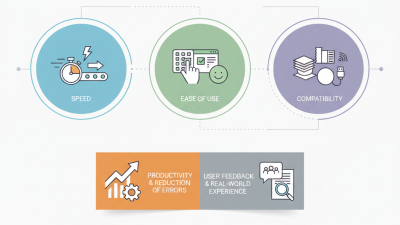
A practical choice depends on label lifespan, daily volume, surface type, and available maintenance skills. Measure the real workflow. A printer rated for high speed may still fail if labels curl, dust enters the mechanism, or operators change settings incorrectly. Test the exact label stock before purchase. Check print clarity, barcode scanning, adhesive performance, and ribbon or ink consumption. No choice is perfect. A durable system may be slower, while a faster system may demand more cleaning.

Tips: Keep a small sample library from real production areas. Compare labels after exposure to heat, moisture, friction, and storage time. Confirm that the printer supports required label widths and connection methods. Ask technicians to review cleaning schedules, spare parts, and training needs. Record failure rates during the trial, not just the best print result.